Chapters
On this page
The Target Card tab sits third in the Ballistics view. It takes the same solve everything else on that page reads, and lays it out the way a stage actually runs: target by target, in order, with the turret carrying over between them.
A plan, not a drop chart
This is the idea the whole card is built on: your elevation dial does not reset between targets. A hold is measured from wherever you left the turret, not from your zero. So a 600 yd target that rides a 450 yd dial shows a small number, and that small number is correct. It is what is left after the dial you already have on.
Two lines sit above the rows: the load, and the conditions it solved at. With no weather entered the second line says Using ICAO Standard Atmosphere, so a card you export or hand to someone else carries the standard it was solved on rather than implying you measured the air.
The card flags what it is not sure of. Past a certain speed a bullet crosses back through the sound barrier and gets unpredictable, so a transonic target is marked lower-confidence rather than handed to you as a clean number. And anything it cannot solve at all reads as dashes, never a zero and never a plausible-looking guess.
Building a card
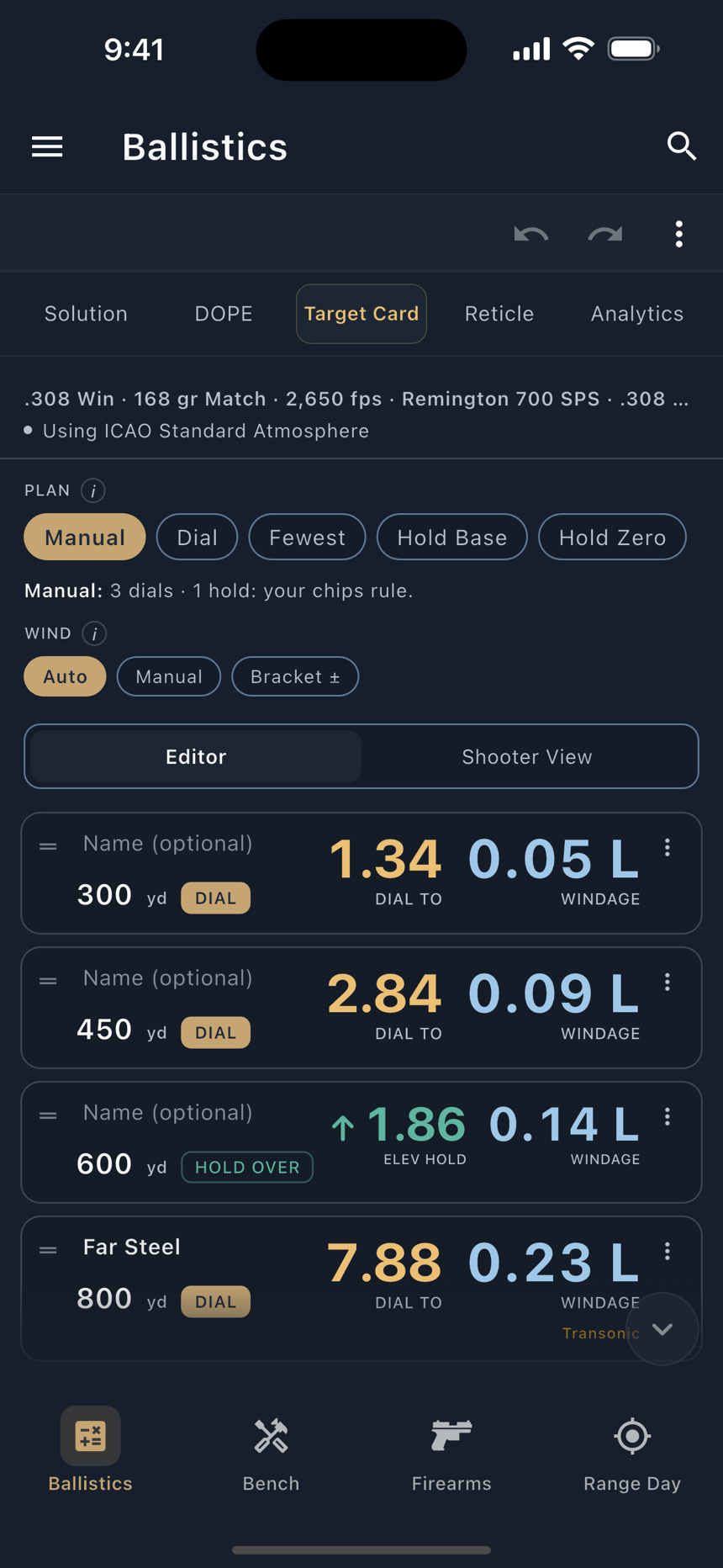
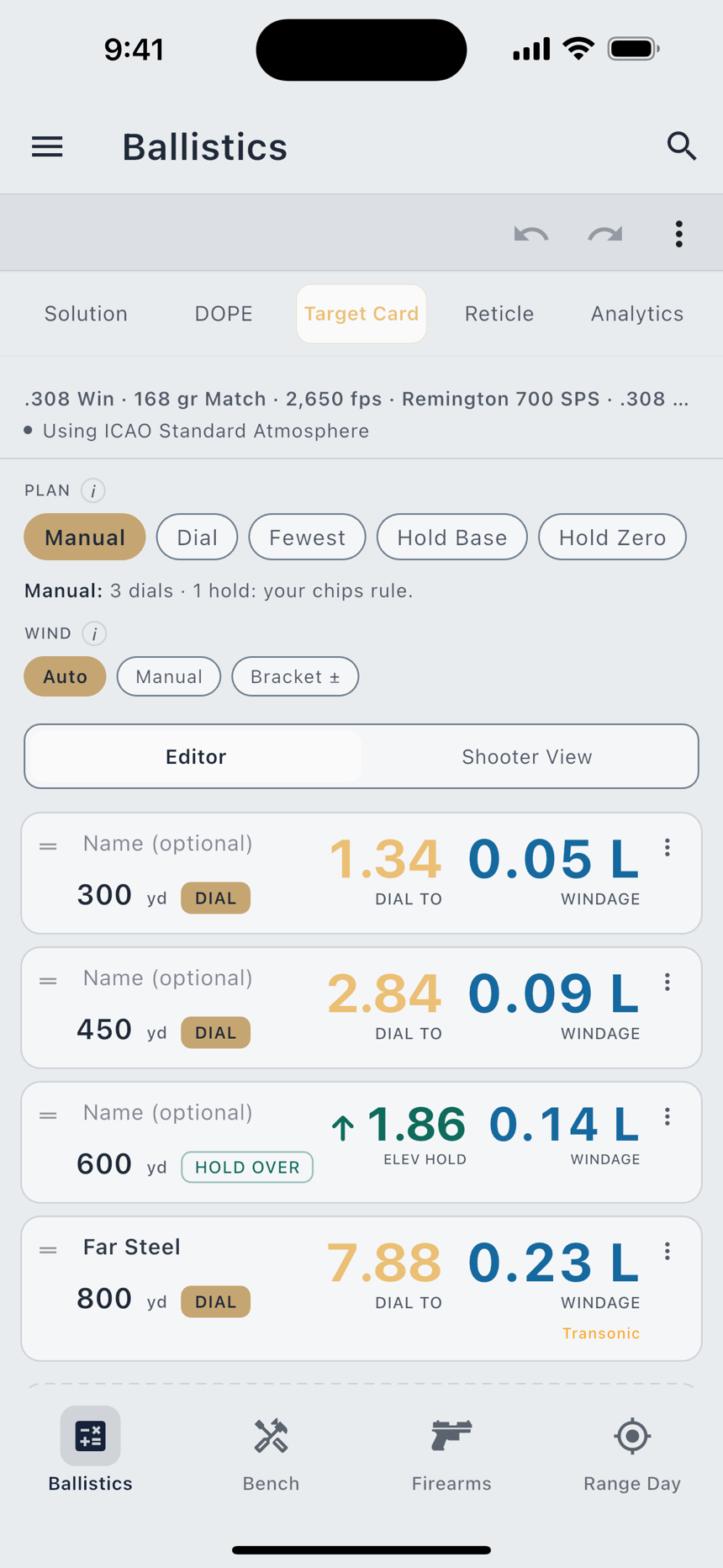
The empty card says what to do: add the distances you plan to shoot. The card solves each one and tracks your turret down the list.
- Add the distances. The Add Distance field takes one distance ("725") or several separated by spaces ("300 500 650"), in the order you will shoot them. Drag the handle on any row to re-order.
- Pick a plan. The chip row across the top assigns every move for you. Tap one and watch every row change at once.
- Overrule where you need to. Tap a row's method chip to force that target to dial or hold.
- Give it a wind. Auto, your own call, or a bracket. See below.
- Switch to Shooter View when the card is right, and read it on the clock.
The five plans
| Plan | What it does |
|---|---|
| Manual | The default. The plan assigns nothing and your own chips rule. A hold rides the last row you dialed. |
| Dial | Dial every shot, no holds. Switching here clears your per-row chips. |
| Fewest Dials | The fewest turret moves that keep every hold under a cap you set, and each row says why it got the move it got. |
| Hold Off Base | Dial once to a base (the engine's suggestion, or a base you pin yourself) and hold everything else off it. |
| Hold Off Zero | No dialing at all. Best up close. |
The distinction between Manual and the pure plans is worth knowing before you lose work to it. Under Fewest Dials, a chip you set becomes a constraint the optimizer plans around. Under the pure plans (Dial, Hold Off Base, Hold Off Zero) switching in clears your per-row chips, and each plan's tip says so before you tap it. Keep Holds Under is the cap Fewest Dials optimizes against, and it is on the card where you can see it.
Wind is a call
Wind is the one input nobody measures at the target. LoadOut treats it as a call and never pretends otherwise. Three modes:
Bracket is the honest one. Give it your calm end and your gusty end and every target shows a range instead of a single number, so you can see which targets the wind actually decides. On a close target the spread is nothing; far out it is the difference between a hit and a miss. Neither Auto nor Manual pretends to be measured; both are what you told it.
Per-target exceptions
Each row has its own menu, because a string of targets is rarely uniform:
Spoken callouts
The Spoken Callout field is labelled Spoken Instead of the DOPE, and the hint under it states the contract: read aloud exactly as written. Write "hold one and a half left, favour low" and that is what you hear. The app does not rewrite it, shorten it, or fold a number back in. Callouts are capped at 96 characters; the field stops accepting them at the cap and shows a counter, so a callout is never silently cut in half on its way to the watch.
A callout replaces the numbers for every verbosity setting, on the phone and on the watch alike. The row's Callout Text option additionally draws your words on the watch face in place of the DOPE for that target; the callout is still spoken either way.
Shooter View and export
Shooter View strips the card to the numbers you read under time: DIAL TO or ELEV HOLD and WINDAGE, big enough to read at a glance. It also reads a callout aloud where you wrote one. A single tap marks where you are on the card; a double-tap on any row opens its detail.
Export Card in the top-right menu sends the whole thing out, each callout beside its target, in shooting order:
PDF and Image take the app's standard path: written to LoadOut's own temporary directory, then handed to the system share sheet, so you choose where each one goes. Text is different. It goes to your clipboard, ready to paste into notes or a match book.
The card on your watch
A solved card goes to the wrist, so a stage can run with the phone in a bag. The limits are size limits, and they are not the same on every platform: about 33 targets fit on Apple Watch and Wear OS, and about 53 on Garmin.
A card longer than a watch can hold is not sent at all, and nothing shorter is sent in its place. The card tells you which watch it did not reach, by name, rather than leaving you to discover a stale card on your wrist. Trim a few targets and re-send.
The Garmin ceiling being higher than Apple Watch's is not a typo: those rows carry less per target, so more of them fit in a smaller budget. What travels, page by page, is covered in Companion Watches.
Custom DOPE cards
The Target Card plans a string. A custom DOPE card is the other thing: the reference sheet you tape to a stock, with your rows and your columns.
You choose the ladder first, in one of three shapes. Stepped is a uniform interval, every 50 yd from 100 to 1000, say. Banded takes your own spans, each printed under its own heading. List takes your own ordered distances, exactly as you wrote them: a real paper card is often coarse where the trajectory is flat and dense where the drop steepens, and that is a decision you made, not an irregularity to round away.
Then you choose what each column holds:
| Column | What it prints |
|---|---|
| Range | The row's own distance. |
| Drop | The elevation come-up. |
| Come-Up | The same angle, under the name you dial by. It reads the same solve, so the two can never disagree. |
| Wind | The full-value hold at a speed you name. The header always prints that speed, so a column can never be read at the wrong wind. |
| Velocity | Retained velocity, in fps. |
| Time of Flight | Seconds. |
| Energy | ft·lb. |
| Lead | The lead for a full-crossing target. |
| Write-In | A column the app never fills. It prints a header and leaves the cells empty for your pen. |
The card's angular unit is MIL, MOA, or Clicks. Clicks is offered only when your scope publishes its click size. There is no assumed quarter-MOA anywhere in LoadOut, because a card that guesses your turret is worse than a card that makes you convert.
Add a wind column more than once at different speeds and you have the wind table most shooters actually want: one card, several calls, each header naming its own speed.
The printed footer is permanent and never conditional: "Predicted from your current solve: a quick reference, not confirmed dope. Confirmed values live in the Dope Card." Paper is the one surface where you cannot ask the app what happened, so the sheet carries its own provenance off the phone with it.
Stage plans
Match Day builds stage plans, and a loaded stage plan takes over the same slot: the third tab relabels itself from Target Card to Stage Plan, and the tab strip stays five positions wide so nothing shifts under your thumb.
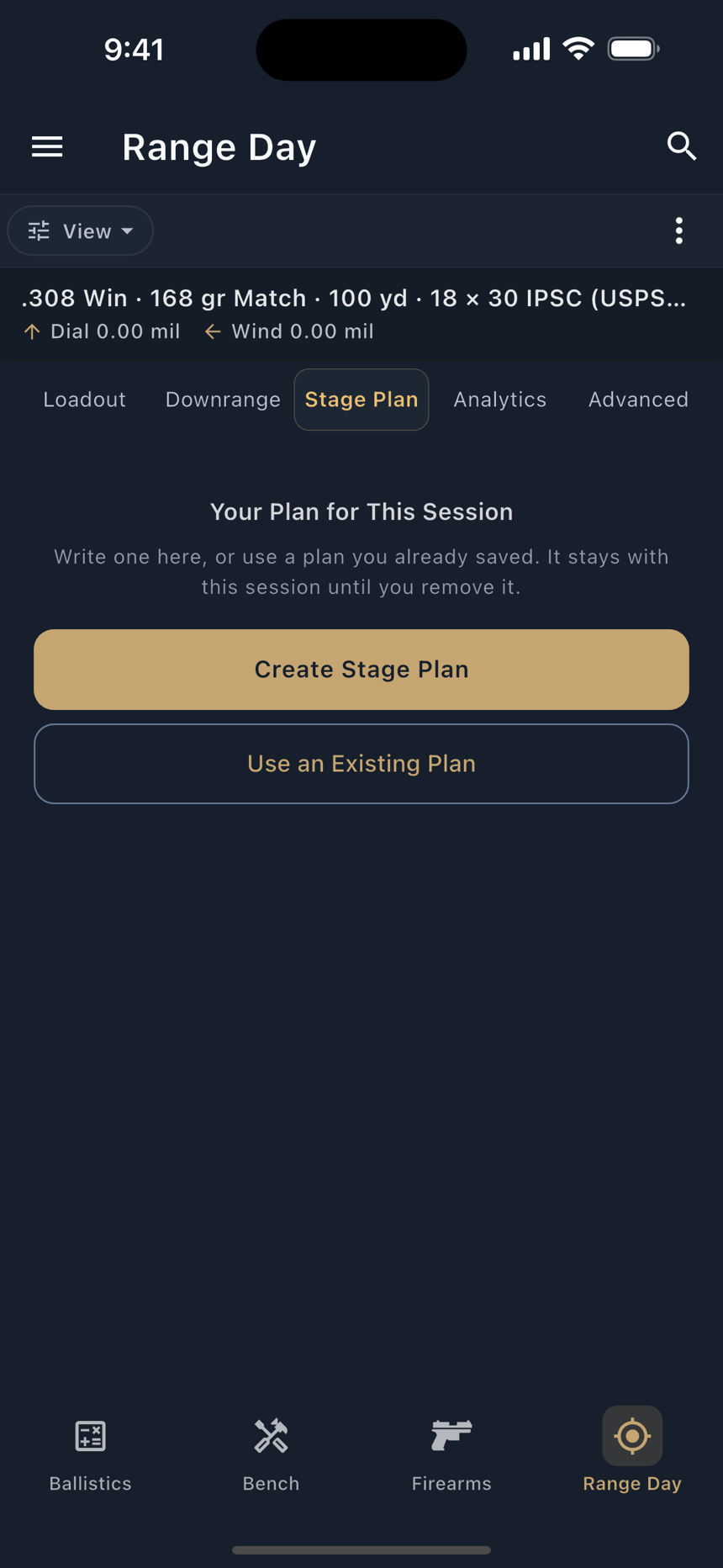
A stage plan is a target card that knows which stage it belongs to. It carries the same plans, the same per-target exceptions, and the same wind handling, and it reads back the same transonic and beyond-validated advisories against each target. Building and scoring the match around it is covered in Match Day.